Webflow vs Drupal

Webflow and Drupal are both capable content platforms, but they embody different philosophies. Webflow is a hosted visual platform that packages the CMS, front end, hosting, and publishing workflow together. Drupal is an open-source content management framework that teams can configure and extend into complex websites and digital applications. The practical decision is whether your organization benefits more from a managed, opinionated platform or from open-source architectural control.
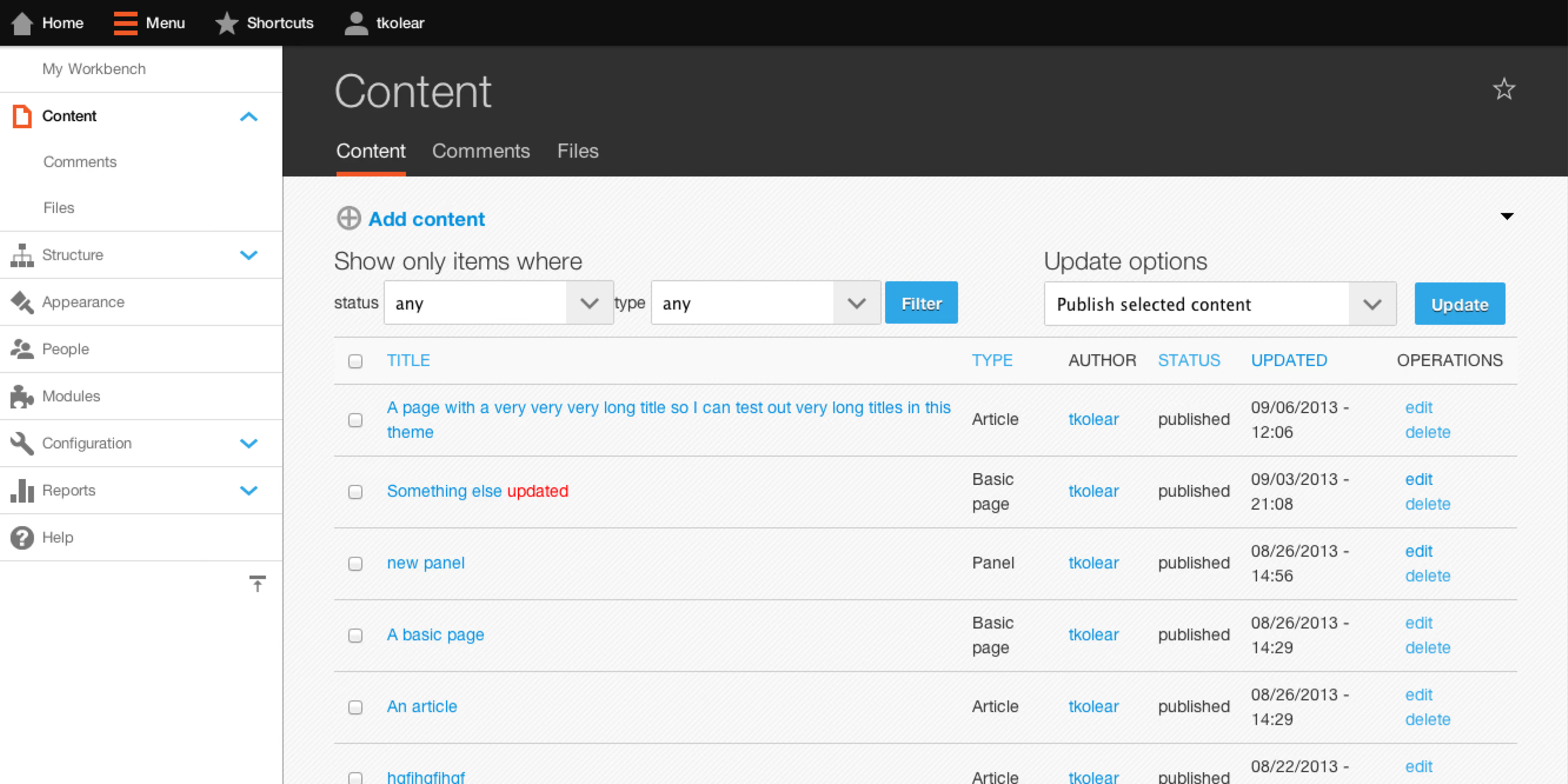
Drupal content management interface showing a list of content items with columns for title, type, author, status, updated date, and operations with options to filter and update content.
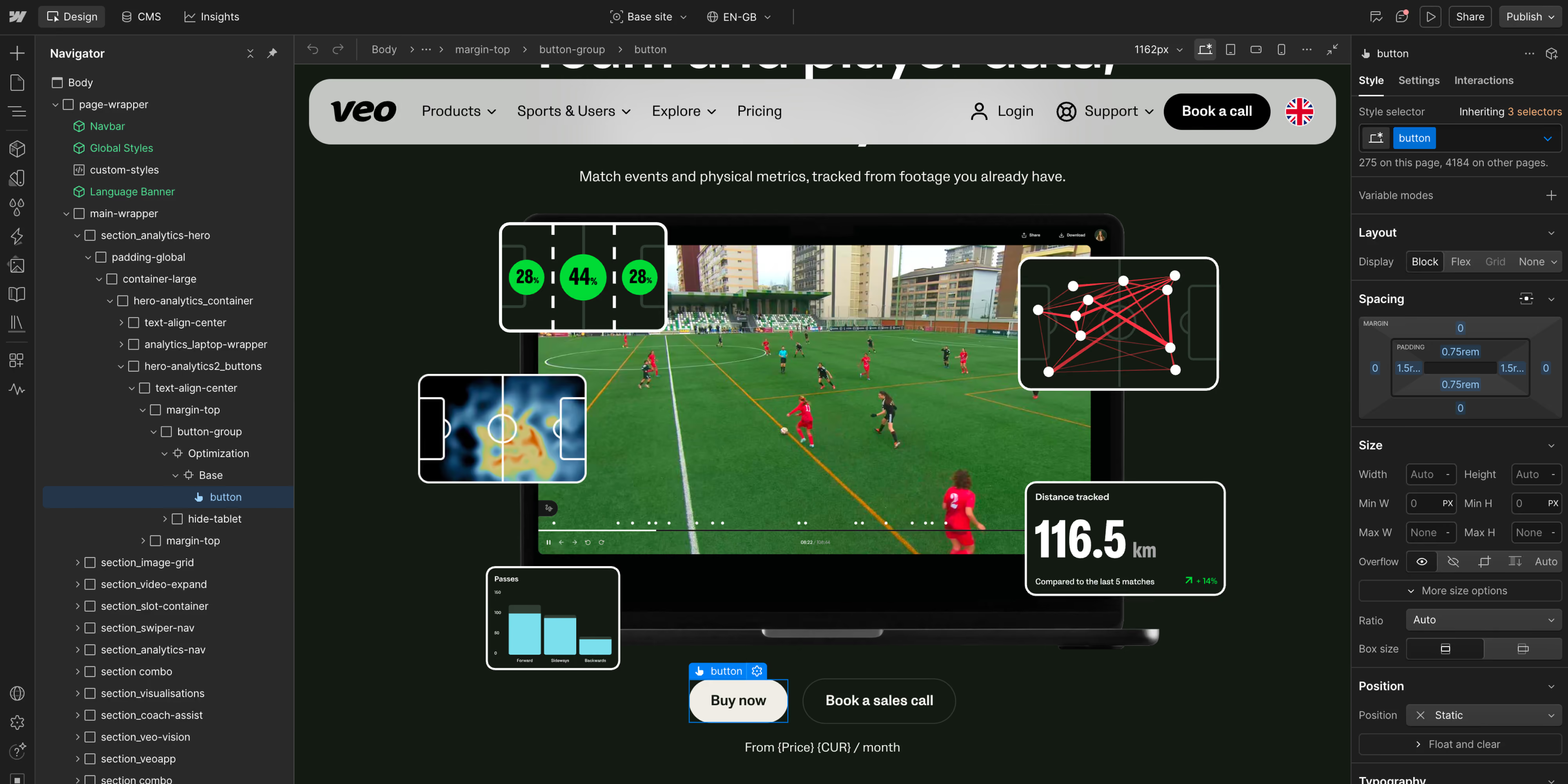
Screenshot of a webpage design interface displaying a sports analytics dashboard for tracking player metrics on a soccer field. The dashboard shows player positions, heatmaps, distance tracked of 116.5 km, and various data visualizations overlayed on a video of a soccer match, with interface panels and style options on the sides. Buttons labeled 'Buy now' and 'Book a sales call' are visible below the video.
50
The short version. Choose Webflow when a marketing and design team needs to own a high-quality site, ship quickly, and avoid maintaining a CMS application. Choose Drupal when complex content models, permissions, workflows, integrations, headless delivery, self-hosting, or public-sector-style governance justify a developer-led platform. Drupal offers a higher ceiling for custom content applications; Webflow removes more of the work required to reach and maintain it.
key takeaways
  • 01
    Webflow is managed SaaS; Drupal is open-source software you host and maintain directly or through a provider.
  • 02
    Webflow is usually faster for designers and marketers to operate. Drupal’s editor experience can be excellent, but it depends on the implementation.
  • 03
    Drupal is stronger for complex content models, granular permissions, workflows, APIs, and custom application behavior.
  • 04
    Drupal has no CMS license fee. Its real cost is discovery, design, development, hosting, security maintenance, upgrades, and specialist support.
  • 05
    Security is an operating practice, not a slogan. Webflow manages the platform layer; Drupal publishes a formal security advisory process, while site owners remain responsible for applying relevant updates and maintaining the surrounding stack.

The honest difference

Webflow is easier to operate; Drupal is more flexible to engineer. The trade-off is marketing autonomy versus developer-led architectural control.
Webflow gives teams a controlled visual system. Pages, components, CMS collections, assets, hosting, and publishing live in the same product. The platform limits access to its underlying infrastructure, but in return it handles the core service, updates, CDN, and hosting operations. That is attractive when the website is important but should not become an internal software product.

Drupal is closer to a content application framework. It is free and open source under the GPL, API-first, and highly extensible. Developers can define content structures, roles, workflows, integrations, front-end architectures, and deployment infrastructure around demanding requirements. Drupal can serve traditional, decoupled, or headless experiences.

Drupal’s freedom creates operational responsibility. Modules, hosting, dependencies, upgrades, monitoring, performance, and security advisories need clear owners. A strong Drupal team can create a capable, editor-friendly platform; without that ownership, the site can become slow to change and expensive to upgrade.
Side by side
Webflow
Drupal
Product model
Hosted visual website platform and CMS
Open-source CMS and content framework
Primary users
Designers, marketers, editors, front-end developers
Editors, developers, architects, platform teams
Hosting
Included and managed
Self-hosted or managed by a hosting/provider partner
Updates and security
Core platform managed by Webflow
Site owner/provider manages Drupal core, modules, infrastructure, and advisories
Design workflow
Native visual canvas
Front end is implemented through themes, components, or a separate application
Content modeling
Structured collections suited to many marketing sites
Highly configurable content types, fields, taxonomies, relationships, and workflows
Roles and governance
Workspace, roles, publishing, and enterprise controls by plan
Granular permissions and configurable editorial workflows
Headless delivery
APIs and external architectures possible
API-first and widely used in decoupled/headless architectures
Pricing*
Public SaaS plans plus quoted Team/Enterprise
No CMS license fee. Project and operating cost varies widely
Best fit
Marketing-led sites
Complex, governed, integrated, or multi-channel content platforms
*Pricing is not directly comparable. Seats, add-ons, contacts, multiple sites, enterprise requirements, and implementation can change the total substantially.

Where Webflow wins

Webflow wins when a marketing team needs clear ownership, fast publishing, and fewer technical dependencies.

The design team works in the production medium instead of handing static designs to a theme-development process. Marketers can publish within a component system, and the organization does not manage the CMS runtime or hosting stack.

That makes delivery easier to predict: there are fewer moving parts, upgrade projects, and technical dependencies between a page change and publication. Webflow is especially strong when a Drupal site’s historical complexity no longer serves a real requirement; simplifying the content model and integrations can produce more value than replicating every legacy feature.

Where Drupal wins

Drupal wins when the website is a custom content platform with complex structures, permissions, workflows, integrations, or delivery channels.

It supports detailed content relationships, taxonomies, APIs, and custom modules, with control over hosting and delivery across websites, apps, and other channels.

Its open-source model matters to organizations that value code access, hosting choice, procurement flexibility, or a broad supplier ecosystem. It also suits institutional and public-sector environments where governance and structured publishing outweigh the need for an all-in-one visual canvas. Drupal can be secure, fast, and editor-friendly when it is well engineered and maintained.

Screenshot of a webpage design interface displaying a sports analytics dashboard for tracking player metrics on a soccer field. The dashboard shows player positions, heatmaps, distance tracked of 116.5 km, and various data visualizations overlayed on a video of a soccer match, with interface panels and style options on the sides. Buttons labeled 'Buy now' and 'Book a sales call' are visible below the video.Drupal content management interface showing a list of content items with columns for title, type, author, status, updated date, and operations with options to filter and update content.

Where Webflow wins

Webflow wins when a marketing team needs clear ownership, fast publishing, and fewer technical dependencies.

The design team works in the production medium instead of handing static designs to a theme-development process. Marketers can publish within a component system, and the organization does not manage the CMS runtime or hosting stack.

That makes delivery easier to predict: there are fewer moving parts, upgrade projects, and technical dependencies between a page change and publication. Webflow is especially strong when a Drupal site’s historical complexity no longer serves a real requirement; simplifying the content model and integrations can produce more value than replicating every legacy feature.

Screenshot of a webpage design interface displaying a sports analytics dashboard for tracking player metrics on a soccer field. The dashboard shows player positions, heatmaps, distance tracked of 116.5 km, and various data visualizations overlayed on a video of a soccer match, with interface panels and style options on the sides. Buttons labeled 'Buy now' and 'Book a sales call' are visible below the video.

Where Drupal wins

Drupal wins when the website is a custom content platform with complex structures, permissions, workflows, integrations, or delivery channels.

It supports detailed content relationships, taxonomies, APIs, and custom modules, with control over hosting and delivery across websites, apps, and other channels.

Its open-source model matters to organizations that value code access, hosting choice, procurement flexibility, or a broad supplier ecosystem. It also suits institutional and public-sector environments where governance and structured publishing outweigh the need for an all-in-one visual canvas. Drupal can be secure, fast, and editor-friendly when it is well engineered and maintained.

Drupal content management interface showing a list of content items with columns for title, type, author, status, updated date, and operations with options to filter and update content.

Which should you choose?

Ask: are you running a marketing website or maintaining a custom content platform?
Choose Webflow if
  • The site is primarily for brand, demand generation, campaigns, and publishing
  • Designers and marketers need more day-to-day control
  • You want a managed platform and fewer upgrade responsibilities
  • Your current Drupal complexity exceeds the value it delivers
Choose Drupal if
  • You need complex content relationships, permissions, or editorial workflows
  • The platform must integrate deeply with internal services or deliver content across channels
  • Open-source code, hosting control, or a particular infrastructure policy is required
  • You have a capable delivery and maintenance team or partner
Webflow is generally easier for smaller teams, while Drupal requires custom development and long-term maintenance to be budgeted from the start. For scale-ups, Webflow suits brand and acquisition; Drupal becomes compelling for a content-heavy product, marketplace, portal, or multi-channel system. In enterprise and public-sector environments, Drupal’s governance, open-source model, roles, and architecture can be valuable, while Webflow can remain the better platform for a separate marketing property that needs speed and visual autonomy.
Drupal offers substantially more backend, content-model, workflow, and infrastructure flexibility. Webflow gives a wider group of non-developers more usable flexibility in the presentation layer. The cost of Drupal’s flexibility is that someone must design, build, test, and maintain it.
Drupal is well suited to government, education, nonprofits, media, associations, and enterprises with structured content and governance requirements. Webflow is strong for B2B SaaS, technology, professional services, and design-led brands. Both can cross these boundaries when the team and architecture fit.
Questions
Webflow is usually better for a visual, marketing-led website that should be easy to operate. Drupal is usually better for a custom content platform with complex structures, permissions, integrations, or hosting requirements.
Drupal’s software license is free and open source. A production platform is not free to design, build, host, secure, update, monitor, and improve. Compare the full lifecycle cost rather than the license line.
The risk model is different. Webflow manages the core SaaS platform and hosting layer. Drupal gives the organization control but also responsibility for core, contributed modules, infrastructure, and timely security updates. Either can be used responsibly; unmanaged software creates risk regardless of brand.
Webflow is generally easier for visual page building and a smaller marketing site. Drupal can provide a tailored, structured authoring experience with strong workflows, but that experience must be intentionally designed and maintained.
Both can meet advanced SEO requirements. Drupal offers near-unlimited implementation flexibility; Webflow makes common controls easier for the marketing team to manage. Search performance depends on execution, content, links, crawlability, performance, and trust - not whether the CMS is open source or SaaS.
Yes, if the target requirements fit Webflow. Audit content types, taxonomies, relationships, languages, users, workflows, search, forms, redirects, files, integrations, and headless consumers. Some Drupal capabilities may move to specialist external services; others should be simplified or retired.
Considering moving from Drupal to Webflow?
Tell us where it hurts.
We will help you identify which features the business still needs and which pieces of complexity can be left behind.
Get in touch